What is Kubebar?
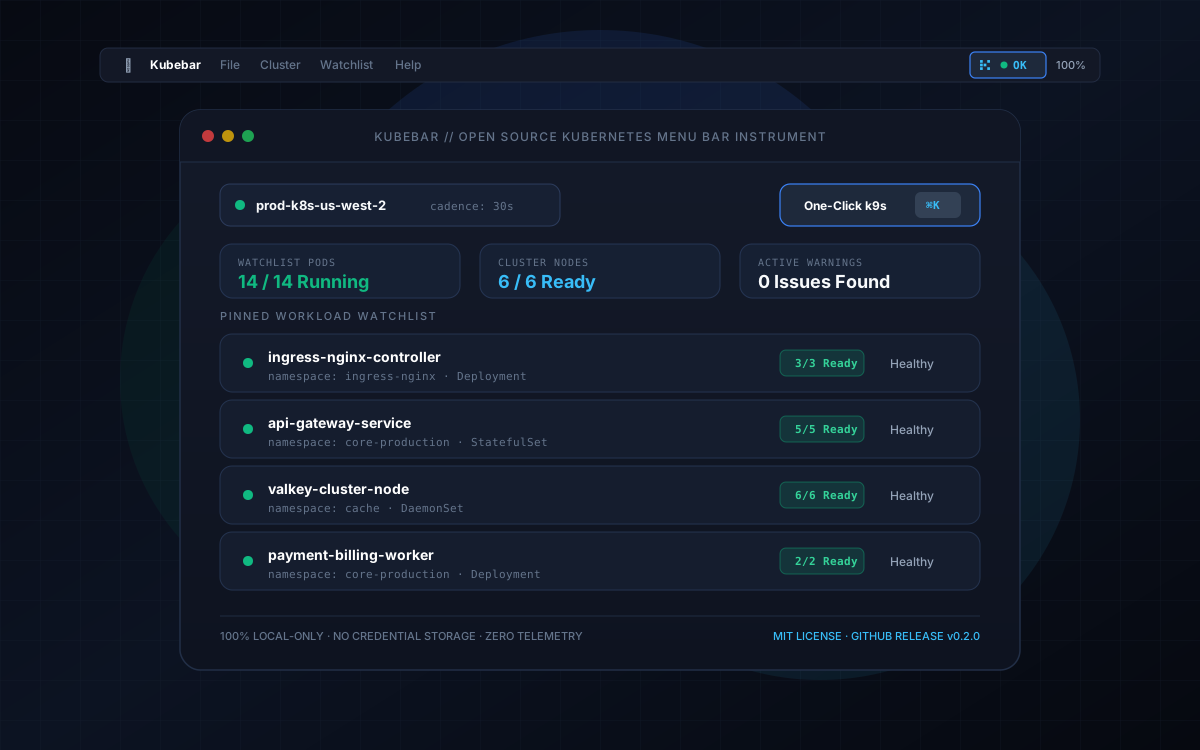
Kubebar is a native macOS menu bar application designed for engineers, platform teams, and Kubernetes operators who need high-signal cluster awareness without terminal clutter.
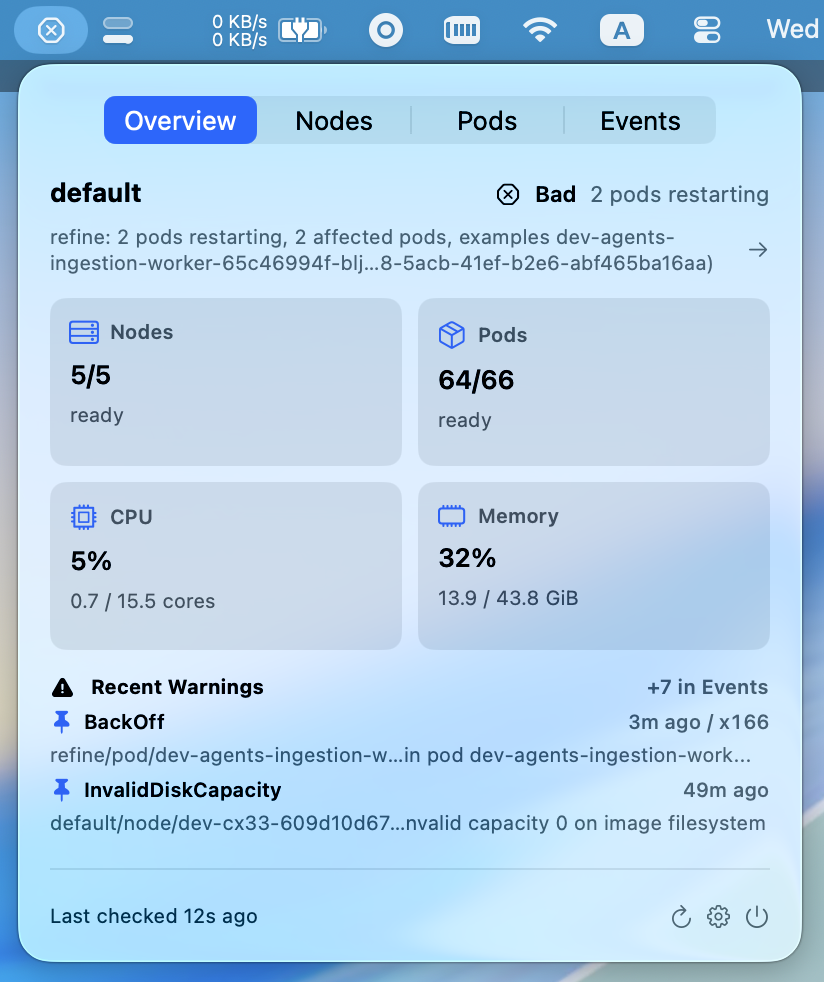
Rather than constantly keeping terminal windows open or polling full-blown web consoles, Kubebar gives you a glanceable, watchlist-first status instrument. At any moment, a quick look at your menu bar tells you whether your critical workloads are healthy, need attention, or have gone stale.
When an alert or warning event does occur, a single keyboard shortcut (⌘K) immediately hands you off into k9s for deep troubleshooting.
Core Capabilities
1. Watchlist-First Monitoring
Production clusters frequently run hundreds of background pods, batch jobs, and daemonsets. Getting alerted about every transient pod lifecycle event causes alert fatigue. Kubebar lets you pin only the critical namespaces and workloads you care about. Your menu bar stays quiet and focused on what actually matters to your service reliability.
2. Instant One-Click k9s Handoff (⌘K)
Think of Kubebar as a tiny ambient companion for k9s, not a competitor.
- Kubebar answers the ambient question: “Is anything on fire?”
- When an issue arises, hit
⌘Kto immediately openk9sfocused directly on the affected context and workload for deep interactive debugging.
3. Context-Aware Automatic Switching
Kubebar automatically detects and synchronizes with your active kubectl context. When you switch contexts in your terminal (via kubectx or kubectl config use-context), Kubebar seamlessly updates its watch state to monitor the active cluster.
4. Native SwiftUI Architecture & Near-Zero Footprint
Engineered natively with SwiftUI for macOS:
- Zero Electron or web view memory bloat.
- Optimized subprocess execution against local
kubectl. - Low CPU overhead and gentle battery usage suitable for all-day menu bar residence.
Security & Privacy Philosophy
Kubebar is built with an uncompromising local-only, zero-trust design:
- Uses Your Existing
kubectl: Cluster access relies entirely on the battle-tested authentication and security logic of thekubectlbinary already configured on your machine. - Zero Credential Storage: Kubebar never stores or caches tokens, certificates, or cluster passwords. All authorization stays securely within your existing
~/.kube/config. - Zero Telemetry or Remote Tracking: Kubebar does not transmit cluster names, workload details, health telemetry, or analytics to any external server. Everything stays 100% on your machine.
- No Secret Access: Kubebar strictly reads high-level status metadata (Pods, Nodes, Events) and never queries Kubernetes
Secrets.
Installation & Open Source
Kubebar is 100% free software distributed under the MIT License.
Option A: Pre-compiled Release
Download the latest Kubebar.zip archive directly from the GitHub Releases page, extract it, and place Kubebar.app in your /Applications directory.
Option B: Build from Source
git clone https://github.com/nexttylabs/kubebar.git
cd kubebar
xcodegen generate
open Kubebar.xcodeproj
You can inspect the complete source code, report issues, and contribute on GitHub.